Free tool
Free QR code generator for events
Paste a URL. Pick a size and colours. Download as PNG or SVG. No sign-up, no watermark. For open mics, karaoke, flyers, event QR codes — anything.
Bigger = sharper when printed. 1024+ is safe for A4 flyers; 2048 for posters at arm's length.
Higher level = QR still scans if a bit is smudged or covered. M is the default for most purposes; H for printed stickers that get handled.
Preview
https://list.posterposter.app/
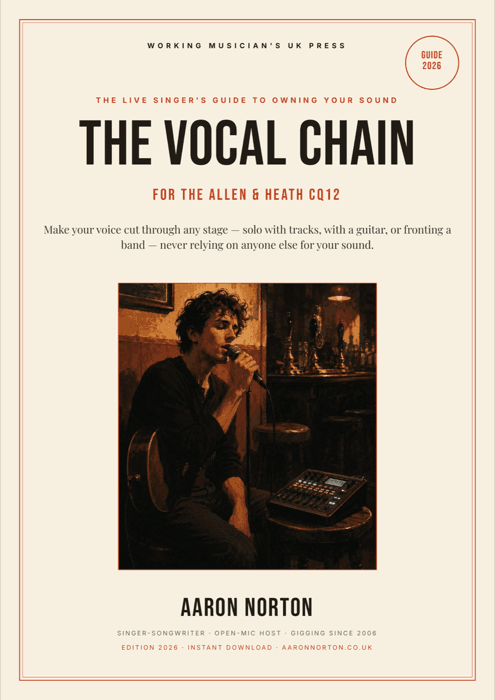
PDF guide · live vocals
Crystal-clear vocals, every gig
The essential guide to dialling in live vocals — clean gain, zero feedback, a voice that cuts through any room. If you run the sound at an open mic, this is the one. Written by a gigging musician who plays 300+ shows a year.
Start free — get the cheat sheet →When to use a static vs dynamic QR code
This tool generates staticQR codes — the code directly encodes the URL you paste. That's perfect for things that won't change: your website, a social profile, a menu PDF, a Google Maps link to your venue.
For events, the smarter move is a dynamicQR — one that always points to "tonight's sign-up sheet" even when tonight's URL changes week to week. That's what The List does: you get a Series QR you print once, and each night the same scan redirects to that night's fresh event.
Quick tips for scannable QR codes
- High contrast.Dark code on light background (or vice versa). Low-contrast QRs look pretty and don't scan.
- Quiet zone. Leave white space around the code — at least 4 modules (the little squares) on every side. Our tool builds this in by default.
- Size to scan distance. Rule of thumb: 1cm of QR code per metre of scan distance. A QR on a wall posted 3m from the nearest standing-point should be at least 3cm across.
- Test before printing.Scan with two phones (iOS + Android) before you hit "run 200 flyers". Colours that render fine on screen sometimes don't print as expected.
FAQ
How do I make a free QR code for an event?
Paste the link you want people to land on — your ticket page, your venue's Google Maps pin, or tonight's sign-up sheet — pick a size (2048px if it's going on a poster people scan from across the room) and a high-contrast colour, then download the PNG or SVG above. Free, no sign-up, no watermark. One tip for recurring events: a static QR is locked to a single URL, so if next week's link changes you'd have to reprint. The List gives you a Series QR you print once that always points to the current night.
Is this QR code generator really free?
Yes. No sign-up, no watermark, no expiry. The whole thing runs in your browser — nothing is sent to a server. Generate as many as you want.
What size should I download for a printed poster?
For A4 flyers you can get away with 1024px. For posters people scan from across a room, go 2048px. The hidden canvas renders at the exact size you choose, so print resolution is always sharp.
What's 'error correction' and which should I pick?
QR codes are designed so they still scan if part of the code is damaged or obscured. Low (L) recovers 7% of missing data, High (H) recovers 30%. For a logo overlaid in the middle or a sticker that gets handled, pick H. For clean digital display, M is fine.
Can I customise the colours?
Yes — foreground and background colour pickers. Keep the contrast high (dark colour on light background, or vice versa). Very low contrast will break scanners.
Does it support SVG downloads?
Yes. SVG is lossless and scales to any size — good for print design files, embedding in PDFs, or resizing later. PNG is the default for web and social media.
Will the QR code expire?
No. This tool just encodes the URL you typed. The code stays valid as long as the target URL does. If you need dynamic QR codes that can be retargeted without reprinting, use The List — every event gets a QR that points to a live signup page.
Are QR codes tracked or logged?
No. We don't log the URLs you encode. The entire generator runs client-side. Refreshing the page wipes your input.
Running an event?
Skip the static QR entirely. The List gives you a live sign-up board with its own QR, a running order that updates in real time, and nothing to print more than once.
Try The List →